
Ableton is a funny one, it has always been difficult with MIDI. At face value, it seemed that any track you want to send MIDI data to requires a unique track. This is frustrating if you want to cast the same MIDI information across many tracks. For example, if sending the same MIDI data to multiple instances of Duck 2.
Take a look at this article for a workaround where one track can send the same MIDI data to different instances across a project. It is not a perfect solution, but the best we can find.
Steps
1) Load a new MIDI track.
2) Insert a External Instrument from the Ableton Instruments library, once loaded press CMD/CTRL+G to contain it in an Instrument Rack.
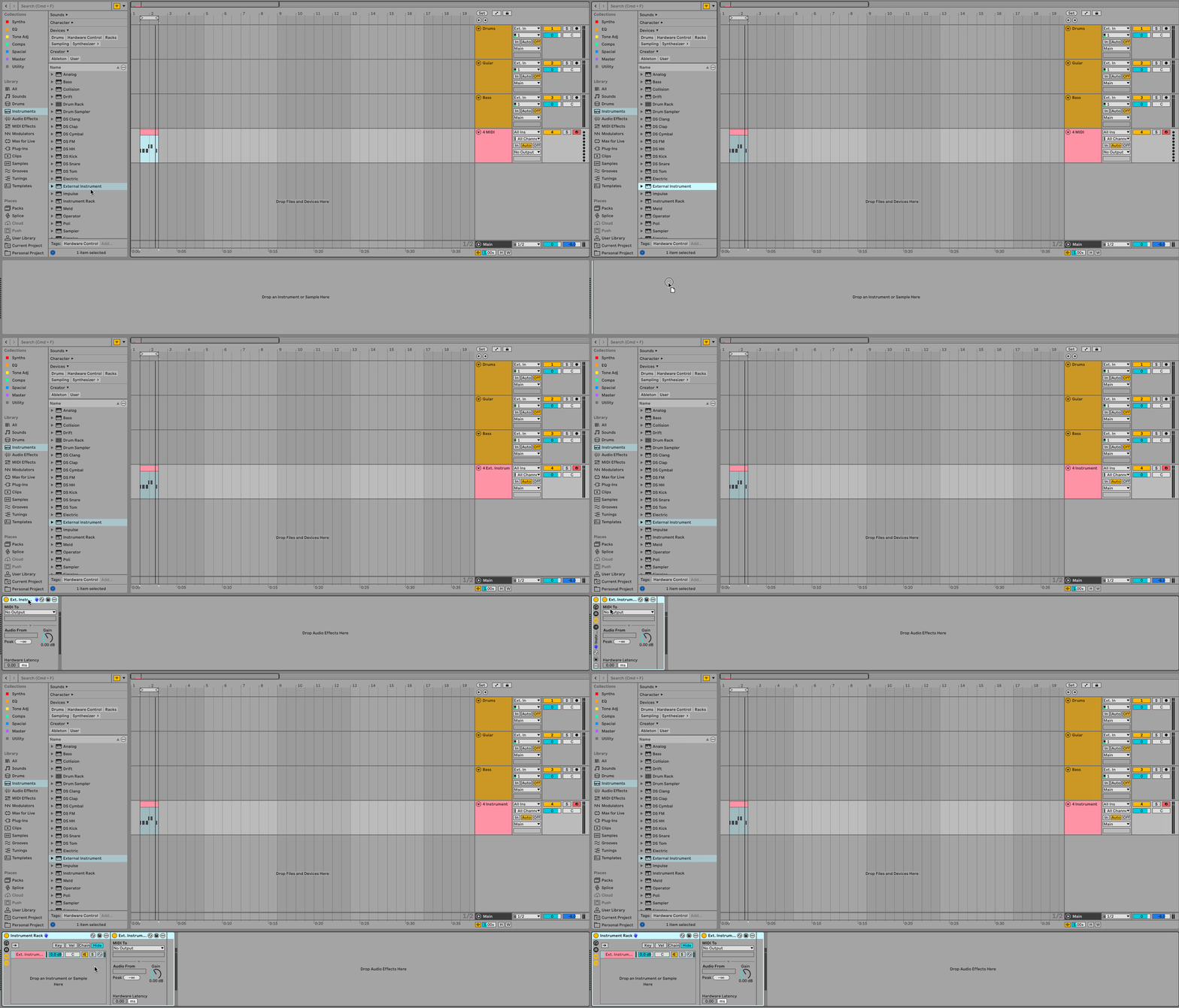
3) Expand out the Instrument Rack, here you can load other instances of the External Instrument. One External Instrument is required for each track receiving MIDI. For example, I have three copies of Duck 2 in my project, so I will load three External Instruments.
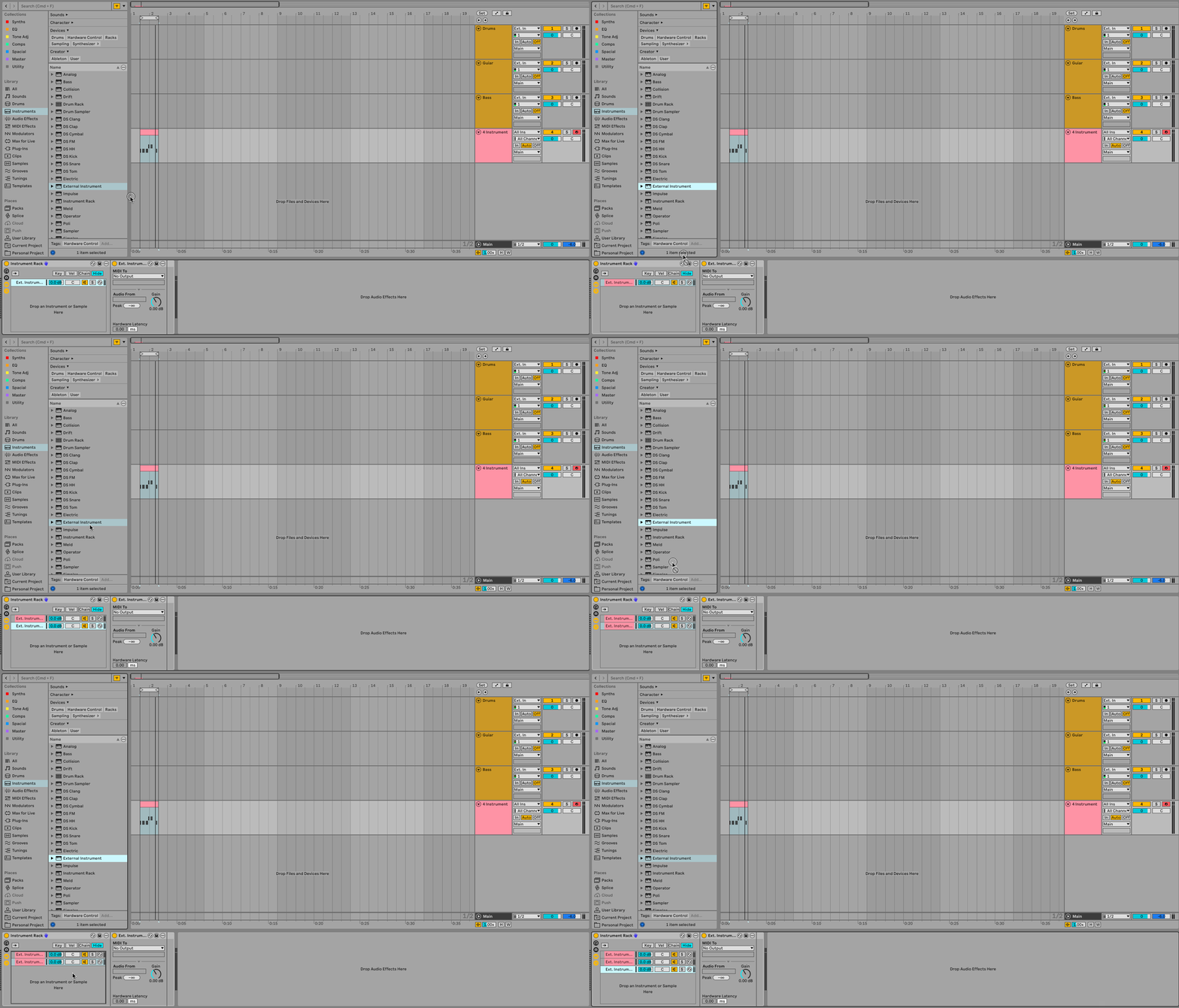
4) Load the plugins that will receive MIDI. I have three tracks "Drums", "Guitar", and "Bass", each with a copy of Duck 2 set up to receive MIDI input.
5) In the External Instrument send the MIDI To the track receiving MIDI, and then check that the right plugin is receiving MIDI. In my case, I want to send MIDI to my "Drums" track to channel "1-Duck". And repeat the same for any other instances.
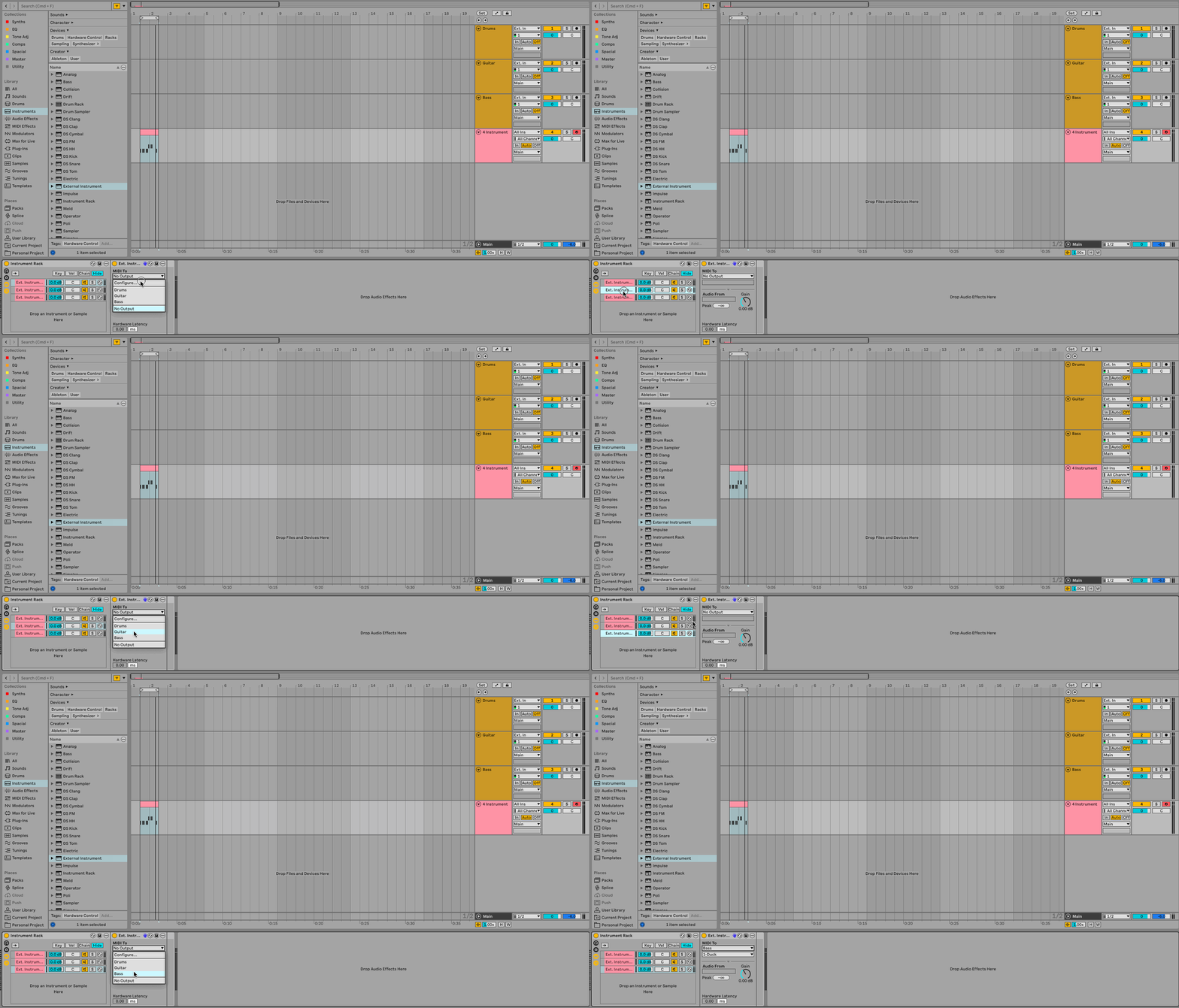
Make sure the plugins receiving MIDI are set up to do so, this is unique to each plugin so check the user manual if unsure. After that, any MIDI data on the MIDI track will be sent across all of the tracks receiving.